
PlayMillion Withdrawals and Cashout Checks
 Available in GB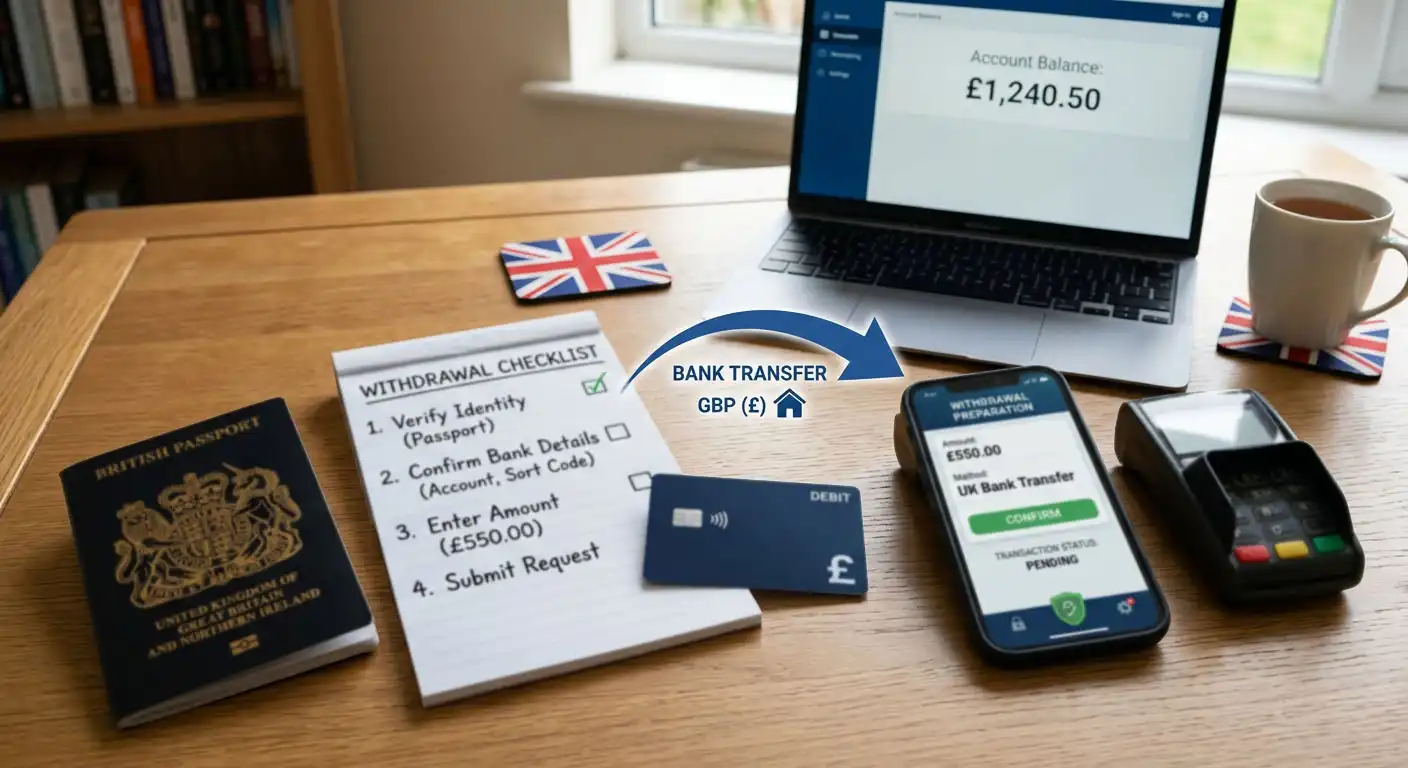
A PlayMillion withdrawal depends on three things being in order: your account details, the payment route available in the cashier and any verification the operator requires. PlayMillion’s withdrawal guidance says identity, address and payment-method ownership documents can be requested before a withdrawal is processed. Document-review timing can vary when additional checks are needed, and it should not be treated as a guaranteed cashout timetable. Exact UK withdrawal limits, fees and method-by-method processing times are not stated here because published information conflicts. Before submitting a withdrawal, check the live cashier and current terms for the exact values that apply to your account.
Table of Contents
- Cashout readiness checklist
- How a PlayMillion withdrawal works
- What PlayMillion can ask you to verify
- Why exact withdrawal times are not fixed on this page
- Active bonuses can change the cashout decision
- Common reasons to check before contacting support
- Red flags in withdrawal advice
- What to do if a withdrawal feels delayed
- Before you submit a PlayMillion withdrawal
Cashout readiness checklist
- Confirm your personal details. Your registered name and address should match the documents you can provide.
- Use payment methods you own. PlayMillion’s terms require payments to come from a source in the account holder’s name.
- Check the withdrawal route. Open the logged-in cashier and see which methods are currently available for your account.
- Prepare verification evidence. Have valid ID, proof of address and payment-method evidence ready if requested.
- Review active bonuses. PlayMillion’s published Bonus Policy and general Terms do not describe active-bonus withdrawals consistently, so check the live account instructions before submitting a request.
- Read the exact live limits. Do not rely on older published tables for minimums, maximums, fees or processing times.
- Keep the request simple. Avoid changing personal or payment details during the withdrawal process unless the information genuinely needs correction.
How a PlayMillion withdrawal works
The basic sequence is straightforward: choose withdrawal in the cashier, select an available method, enter the amount and submit the request. What happens next can vary because the account may need verification or additional checks before funds are released. PlayMillion’s terms explicitly allow documentation checks prior to processing a withdrawal, so a first cashout can involve more steps than a later request from an already verified account.
The payment route can also depend on how the account was funded. A method used for deposits is not automatically guaranteed as a withdrawal method. Some payment products are designed mainly for funding, and a different route may be needed for cashout. That is why it is useful to review PlayMillion payment methods before the first deposit rather than discovering the limitation only after winning.
Do not interpret a pending status as proof of a problem by itself. Payment requests can have separate internal and provider stages. The useful question is whether the request is within the current timeframe shown by PlayMillion for your method and whether the account is waiting for a document or action from you. If the cashier or account area identifies a missing requirement, resolve that first.
What PlayMillion can ask you to verify
The current PlayMillion withdrawal-document page describes three main evidence groups. For identity, it lists a passport, driving licence or government-issued ID. For address, it lists documents such as a utility bill or bank statement issued in your name and showing the registered address. It can also request evidence connected with a payment method, particularly where a card or a newly used funding route needs to be linked to the account holder.
Document quality matters. PlayMillion asks for valid, clear colour images and gives specific instructions for masking sensitive card digits. The purpose is not to provide more information than necessary, but to show the required ownership details while protecting data that should remain hidden. Upload documents through the operator’s approved account upload route rather than sending sensitive material through an unofficial channel.
PlayMillion does not promise one fixed document-review time for every account. If a request remains pending, check the account for a specific document or action and use the operator’s official support channel when the next step is unclear. KYC timing should not be converted into a promise that money will reach a bank, card or e-wallet within the same period. For setup and verification details beyond cashout, see the registration and KYC guide.
Why exact withdrawal times are not fixed on this page
Withdrawal timing is one of the easiest casino facts to make misleading. Different sources can mix together operator review time, payment-provider handling time and the time until funds appear in the player’s account. They can also publish limits in another currency and silently convert them into pounds. Available PlayMillion information does not give a consistent enough set of exact GBP limits, fees and timings for a settled table.
The practical alternative is to check the cashier at the moment you withdraw. Record the displayed minimum and maximum, any fee, the selected method and the stated processing expectation. If the terms page provides a separate rule that applies to your request, keep a copy for your own records. This gives you account-specific information rather than a generic figure that may have been copied from an older market page.
If a third-party review claims a faster or slower withdrawal than the operator currently shows, treat that as experience or historical information, not as a contractual timeframe. The current cashier and operator terms are the relevant reference points for your transaction.
Active bonuses can change the cashout decision
Before pressing withdraw, check whether there is an active bonus balance. PlayMillion’s published documents currently conflict on this point: the Bonus Policy says a withdrawal can proceed if the entire active bonus balance is cancelled, including bonus-derived winnings, while the general Terms and Conditions say funds cannot be withdrawn while an active bonus remains. The Bonus Policy also says a bonus cancelled because of a withdrawal request is not automatically restored if the withdrawal is reversed.
Because those official documents do not align, do not assume one rule applies universally. Check the logged-in bonus state, cashier message and current offer terms before confirming a withdrawal. Do not keep gambling solely to avoid losing a bonus; if you want to cash out, follow the live account instructions and understand any cancellation consequence shown there. The current welcome-offer mechanics are explained on the FIRST20 bonus guide.
Common reasons to check before contacting support
Verification is incomplete
Look for an account message asking for identity, address or payment ownership evidence.
The payment route has changed
If the deposit method cannot receive withdrawals, the cashier may require another verified method.
Account information does not match
Name or address differences can lead to additional checks, particularly when payment ownership is unclear.
An active bonus is attached
Check the live bonus and cashier instructions because PlayMillion’s published Bonus Policy and general Terms currently conflict on the withdrawal rule.
The request is being compared with an old timeframe
Use the live cashier and current terms rather than an older published estimate.
If you have completed the requested steps and need help, PlayMillion advertises round-the-clock support. When contacting support, give the withdrawal reference or date, the method selected and the status shown in your account. Do not send full card numbers, passwords or unnecessary identity data through ordinary chat.
Red flags in withdrawal advice
Be cautious with any guide that promises “instant withdrawals” without specifying the payment method and verification state. The same applies to tables that list one fixed maximum withdrawal for every UK player or convert an overseas limit into GBP without a source. Those shortcuts create a sense of certainty that the live account may not support.
Another red flag is advice to use someone else’s payment method to get around a cashier problem. PlayMillion’s terms require the payment source to belong to the named account holder and allow extra documentation where ownership is unclear. Using a third party’s card or wallet can make verification harder, not easier.
Finally, do not confuse a customer review with an objective statement of processing policy. User sentiment can be useful for spotting themes worth investigating, but it cannot prove the terms that apply to your account. For a broader assessment of operator status and reputation, see the PlayMillion safety and licence check.
What to do if a withdrawal feels delayed
First, check whether PlayMillion has requested documents or account action. Second, compare the request with the live timing information for the chosen payment method. Third, confirm that the destination method is still valid and in your name. If those checks are clear, contact support with a concise record of the request rather than repeatedly cancelling and resubmitting it.
A cancelled or reversed withdrawal can have consequences when a bonus was active, so do not use reversal as a routine troubleshooting step and follow the current account instructions for the promotion. If the issue is document verification and the account remains pending, check for any new request and contact PlayMillion through its official support channel for the next step.
If you are withdrawing because you want to stop gambling, prioritise that decision over promotional value. PlayMillion offers account controls such as deposit limits, cooling-off, temporary suspension and self-exclusion. A withdrawal problem should not become a reason to continue betting funds you had already decided to take out.
Before you submit a PlayMillion withdrawal
A PlayMillion cashout is easiest to manage when the account is accurate, the payment method belongs to you and verification is prepared before the request. The operator can require ID, proof of address and payment-method ownership evidence, and extra checks can extend the review. Verification timing is account-specific and should not be treated as a withdrawal timetable. For exact UK withdrawal limits, fees and end-to-end processing times, use the live cashier and current terms because the available public values are not consistent enough to present as fixed facts.
For deposit options and method selection, return to PlayMillion payment methods. For the overall operator verdict, licensing context and the rest of the UK review, see the full PlayMillion UK review.
Written by the editors at Playmillion Casino.