PlayMillion App and Mobile Casino for UK Players
 Available in GB
PlayMillion has real-money casino apps for both Android and iOS in the UK, and its mobile-browser site gives players another way to use the casino without installing an app. The current Google Play and GB App Store listings both advertise more than 800 games. For most UK users, the best choice is not simply “app or no app”. It depends on whether you want a dedicated icon and app-style navigation, prefer to avoid another installation, need a device the store listing supports, or want to keep gambling notifications to a minimum. Before downloading, use the official app store or a link from PlayMillion’s official site, check the developer and app name, and avoid lookalike APKs or clone listings.
Table of Contents
- PlayMillion mobile options at a glance
- Android app: what the current listing confirms
- iOS app: iPhone and iPad use
- App versus mobile browser
- Game access on mobile
- Payments and account checks on a phone
- Notifications: useful feature or unnecessary prompt?
- Safer gambling controls on mobile
- How to download PlayMillion safely
- Which mobile route should you choose?
PlayMillion mobile options at a glance
| Option | Current position | Best suited to |
|---|---|---|
| Android app | Listed on Google Play for UK users | Players who want a dedicated app and direct launcher access |
| iOS app | Listed in the GB App Store | iPhone and iPad users who prefer an installed app |
| Mobile browser | Suitable for using the casino without a separate installation | Players who prefer less device clutter or do not want app notifications |
Android app: what the current listing confirms
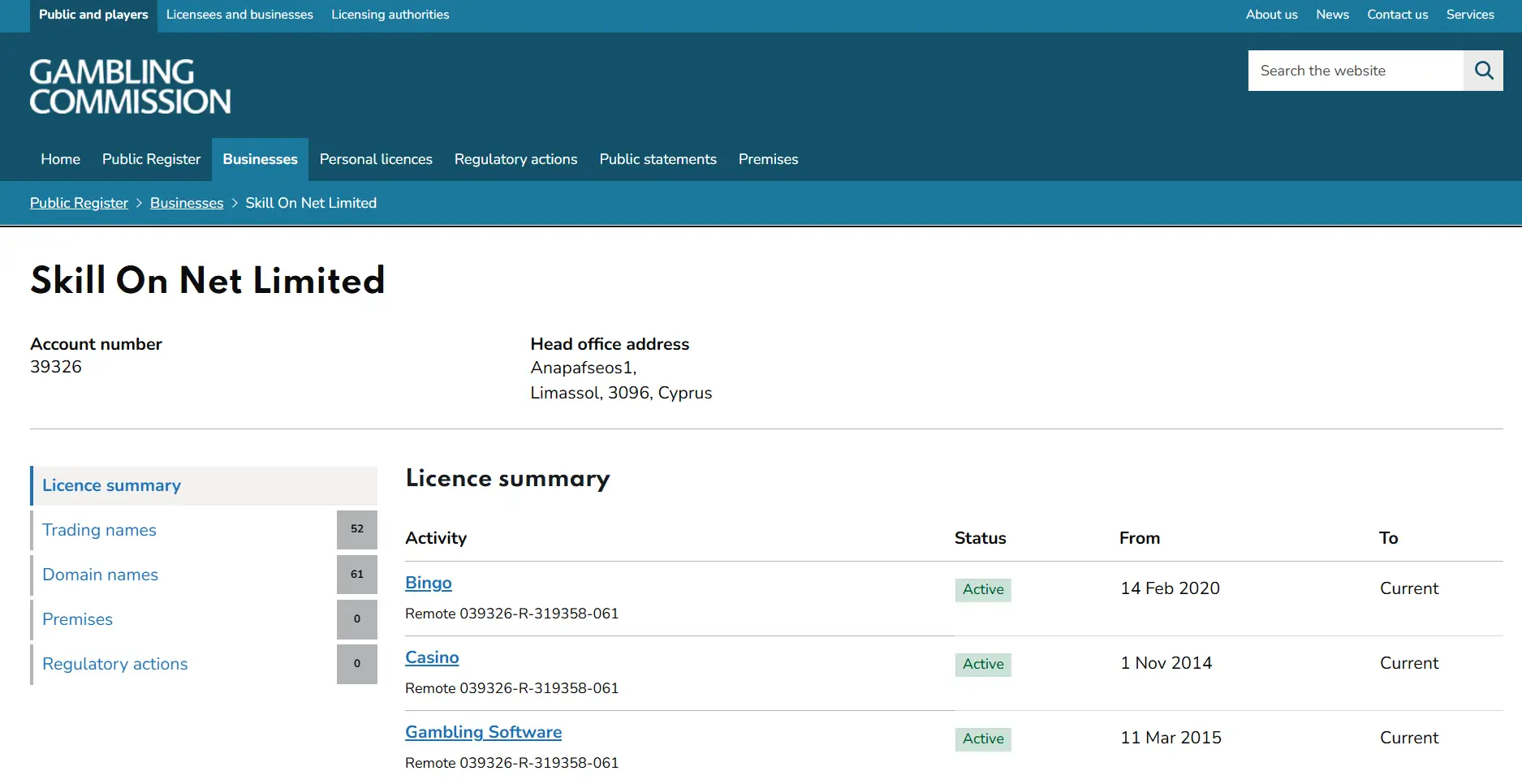
The PlayMillion Android app is currently listed on Google Play under the title “PlayMillion: Real Money Slots”. The listing identifies Skill On Net Ltd and describes a casino app with more than 800 games. That is useful evidence that there is a genuine Android product available to UK users, rather than an unofficial download circulating on third-party sites.
The main safety rule is simple: do not search the open web for a random APK because a page claims to offer a faster or unrestricted version. Casino apps involve account credentials, personal data and payment access, so sideloading an unknown package creates risks that do not exist when using the official store listing. Keep the phone operating system updated as well. Check the app title, developer details and store URL before installing. If a device is incompatible, use the mobile browser rather than trying to bypass the store with an unofficial file.
Google Play availability can also depend on device and operating-system compatibility. The fact that the app is currently listed does not mean every older Android phone or future Android release will support it. The live store page is the right place to check compatibility for the device in your hand.
iOS app: iPhone and iPad use
The GB App Store currently lists “PlayMillion Casino” as a real-money online slots app. The listing supports iPhone and iPad and, like the Android listing, advertises more than 800 casino games. It is therefore reasonable for UK users to treat iOS as a supported PlayMillion route rather than relying only on Safari.
Apple’s store page is also the best place to confirm the current iOS requirement before installing. Compatibility can change as an app is updated and older operating systems fall out of support. Avoid assuming that an older compatibility note or review proves support for a particular iPhone model today. If the store allows installation on your device, that is a more useful compatibility signal than a static casino-review table.
For players who already use password management, screen-time controls or notification settings on iOS, the app can fit into those device-level controls. It is worth configuring those settings deliberately rather than accepting every notification permission during setup.
App versus mobile browser
The installed app and the browser route lead to broadly the same decision: can you log in securely, find the games you want, manage payments and use account controls without friction? The app gives you a dedicated launcher, may keep navigation more contained and can provide push notifications. The browser avoids an installation, reduces storage use and makes it easier to keep gambling access less prominent on the home screen.
| Question | App | Mobile browser |
|---|---|---|
| Installation | Required through the relevant app store | No separate installation |
| Home-screen presence | Dedicated icon | Only visible when you open the browser, unless you add a shortcut |
| Notifications | Push notifications may be available and can be disabled | Usually less persistent unless browser notifications are enabled |
| Storage | Uses device storage | Lower installation overhead |
| Compatibility check | Store decides whether the current build supports the device | Depends mainly on browser and site compatibility |
If you only play occasionally, the browser can be the cleaner choice because it adds less friction to your device environment. If you use PlayMillion regularly and prefer an app-style experience, the official Android or iOS app is more convenient. Neither option makes gambling safer by itself. Safety depends on account controls, spending limits and how you manage access.
Game access on mobile
PlayMillion’s current app listings advertise more than 800 games. That provides a useful mobile-library signal, but it should not be interpreted as a promise that every title visible on desktop will be present on every phone. Game availability can vary by provider, account, device, jurisdiction and technical support. The PlayMillion games library guide explains the broader catalogue and the difference between slots and live-dealer content.
For mobile use, screen layout matters as much as headline game count. Slots are usually well suited to portrait or landscape play because controls are compact. Live casino is more demanding: video quality, table controls and chat elements need more screen space and a stable connection. On a smaller device, a technically available live table can still feel less comfortable than on a tablet or desktop.
UK slot stake limits apply regardless of whether a slot is played through an app or a browser. The maximum is £5 per game cycle for players aged 25 or over and £2 for players aged 18 to 24. Those caps apply to online slots, not to roulette or blackjack. Changing device does not change the regulatory limit.
Payments and account checks on a phone
Mobile access does not remove the normal payment and identity rules. If you deposit through a phone, use a payment method in your own name and check the live cashier for the routes currently available to your account. The PlayMillion payment methods page covers cards, e-wallets and bank-linked options in more detail.
KYC can also be completed from a mobile device, but document quality matters. If PlayMillion asks for identity, address or payment-method evidence, use clear, uncropped images and make sure the requested details are readable. A blurred photo taken quickly in poor light can create avoidable delay. The registration and KYC guide explains what to prepare before the first withdrawal.
Mobile convenience is not a reason to keep large balances in the casino account. Treat the cashier as part of a gambling service, not as a banking app. Deposit only what fits your budget and withdraw funds according to your own plan rather than leaving them available for another session by default.
Notifications: useful feature or unnecessary prompt?
Push notifications are one of the biggest practical differences between an installed app and browser-only use. They can be useful for account-security messages or service updates, but marketing notifications can also make gambling more visible throughout the day. If you install the app, review notification permissions immediately rather than leaving the default untouched.
A sensible setup is to keep only notifications that have a clear account or security purpose and disable promotional alerts if they encourage unplanned play. Device-level controls are separate from PlayMillion’s own safer gambling tools, so using both gives you more control over when gambling appears in your attention.
Safer gambling controls on mobile
PlayMillion provides responsible gambling controls including deposit limits, cooling-off or exclusion options and time or game-status controls. These matter on mobile because a casino in your pocket can be opened with much less friction than a desktop site. Set limits before a session starts, not after spending has already escalated.
UK remote gambling rules also require self-exclusion procedures. Licensed remote operators must take reasonable steps to prevent a self-excluded customer from gambling. A device change is not a workaround and should never be treated as one. If you choose self-exclusion, the goal is to stop access across the relevant gambling relationship, not simply to remove one app icon.
Device controls can support the account-level tools. Both major mobile operating systems provide ways to manage app access, notification permissions and screen time. These controls are not substitutes for operator self-exclusion or financial limits, but they can reduce impulsive access and unwanted prompts.
How to download PlayMillion safely
- Start with the official route. Use Google Play for Android or the GB App Store for iOS, or follow a link from PlayMillion’s official site.
- Check the name and developer. Do not rely on an icon alone because lookalike apps can copy colours or generic casino imagery.
- Check device compatibility. Let the store listing determine whether the current app build supports your phone or tablet.
- Review permissions. Grant only permissions that make sense for the functions you use.
- Control notifications. Decide whether promotional push messages fit your gambling plan.
- Use a password unique to the account. Do not reuse a password from email, banking or another gambling site.
- Avoid third-party APKs and clones. If the official app cannot be installed, use the browser instead of an unknown package.
Which mobile route should you choose?
Choose the Android or iOS app if you want a dedicated PlayMillion experience, your device is supported and you are comfortable managing notification settings. Choose the mobile browser if you want fewer installed apps, prefer gambling access to be less prominent, or are using a device that the current store build does not support.
There is no meaningful betting advantage in using the app. The same UK rules, account status and safer gambling expectations follow you across devices. The better route is the one that gives you secure access without adding unnecessary prompts or making it harder to stick to your limits.
For the overall operator assessment, return to the full PlayMillion UK review. If you are deciding whether to open an account before installing anything, continue with the account verification guide.
Published by the Playmillion Casino team.